










✓Registration is available in 150+ countries. Select your country below to start your Atomy membership.
– How to register Atomy members –
This is an instruction page for Atomy membership registration.
Actual member registration is completed only on the Official Site below.
Please follow the guide images and complete each step in order.
– Official Website –
⇒ https://eu.atomy.com/main ⇐
STEP 2
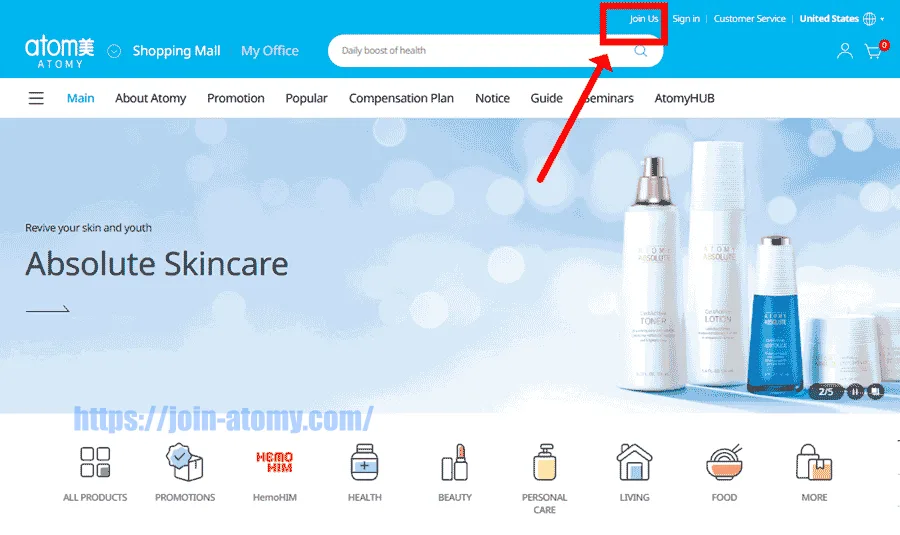
Look at the top-right of the page and tap “Join Us.”
That’s the button to start your Atomy membership signup.
STEP 4
Even if your country isn’t open yet, you can still register now.
It will be available soon, so getting started early helps.
Go ahead and enroll members under you in advance.
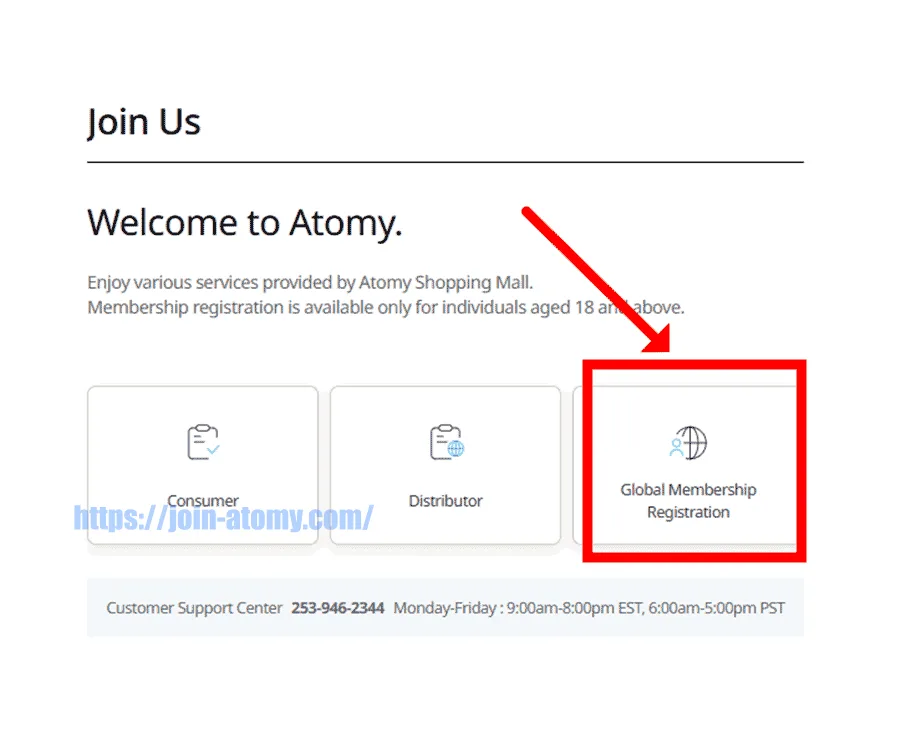
STEP 5
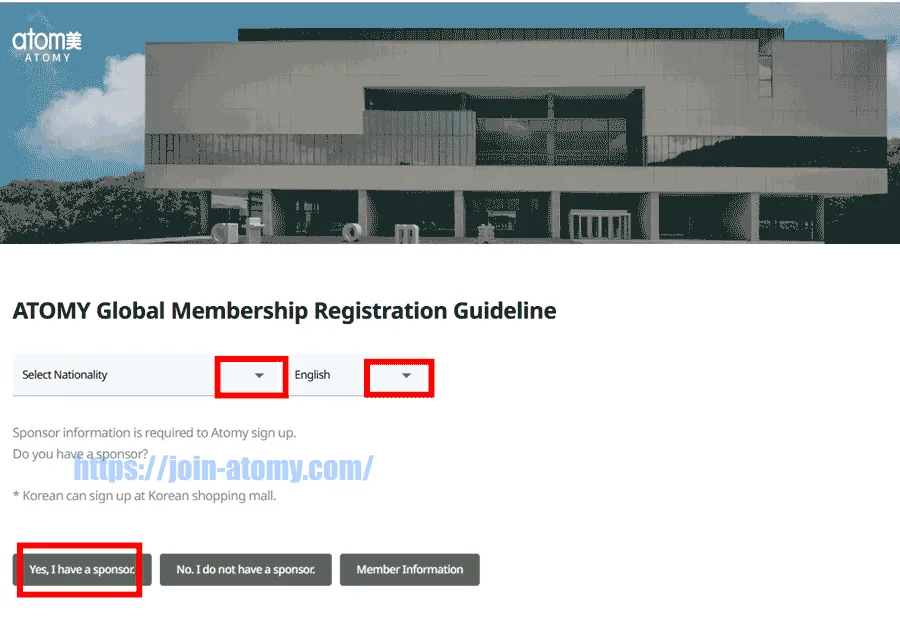
First, pick your country.
Next, switch to your language.
Finally, select your sponsor and continue.
STEP 6
You must enter your ID and password in the blank fields below.
Then send us a message using the bottom-right icons (WhatsApp, Facebook, etc.).
Message: Please tell me ID and password.
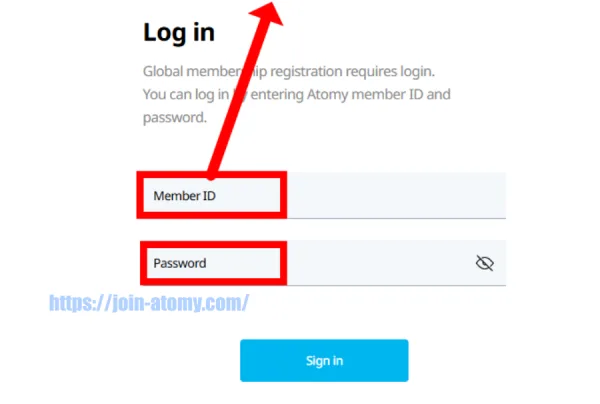
STEP 8
Now enter your basic information to continue registration.
Complete the required fields first, then review once.
When everything looks good, go to the next step.

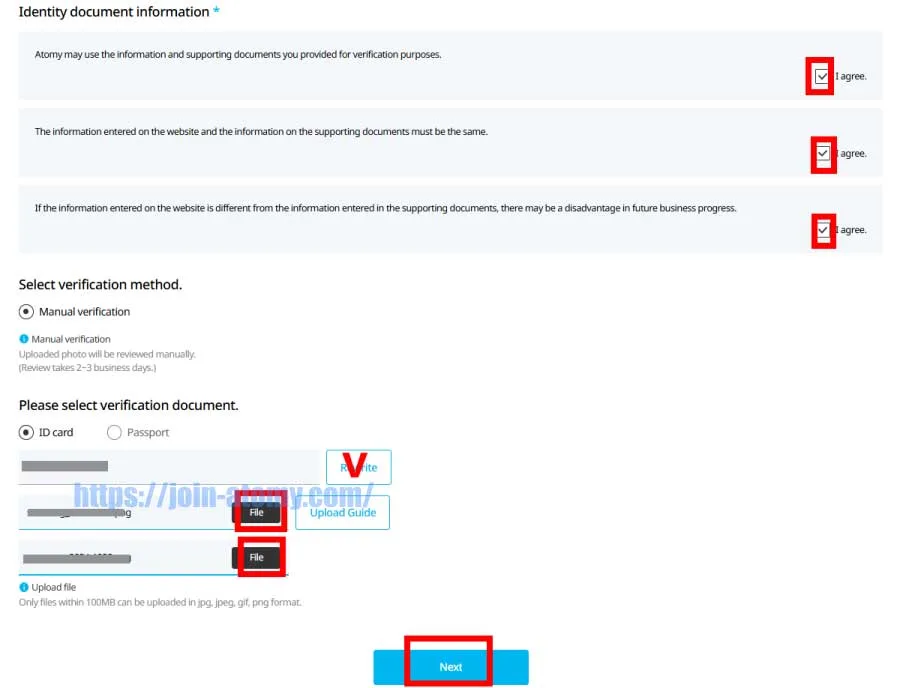
![[shop-join] ID-card_front](https://atomy-join.shop/wp-content/uploads/2024/11/shop-join-ID-card_front.png "[shop-join] ID-card_front - Atomy Member")
ID-card_front
![[shop-join] ID-card_back](https://atomy-join.shop/wp-content/uploads/2024/11/shop-join-ID-card_back.png "[shop-join] ID-card_back - Atomy Member")
ID-card_back
STEP 9
Add your local name to complete your profile.
Take a moment to verify each field one more time.
If everything looks good, proceed.
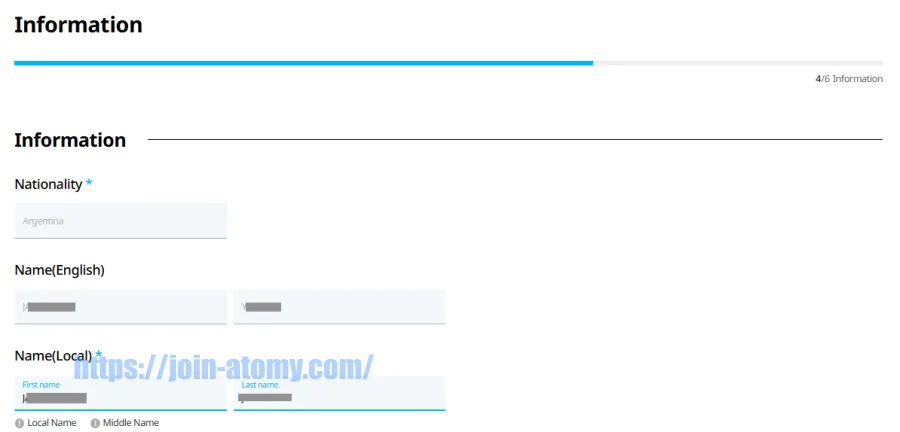
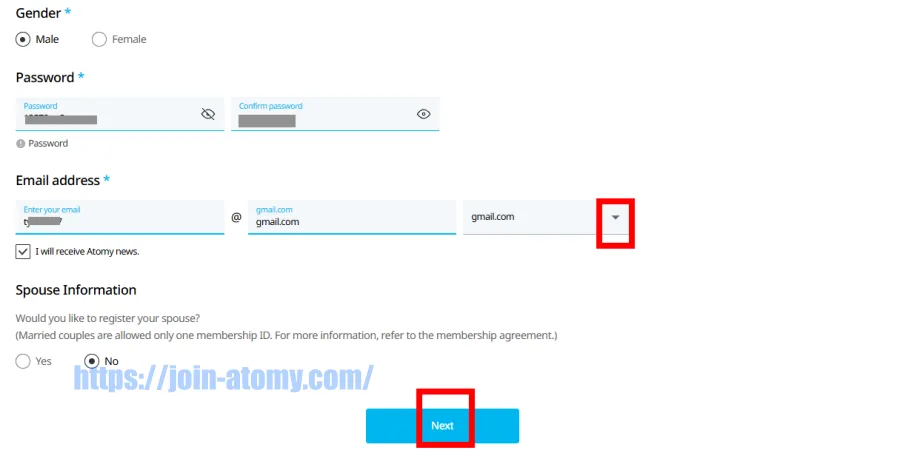
STEP 10
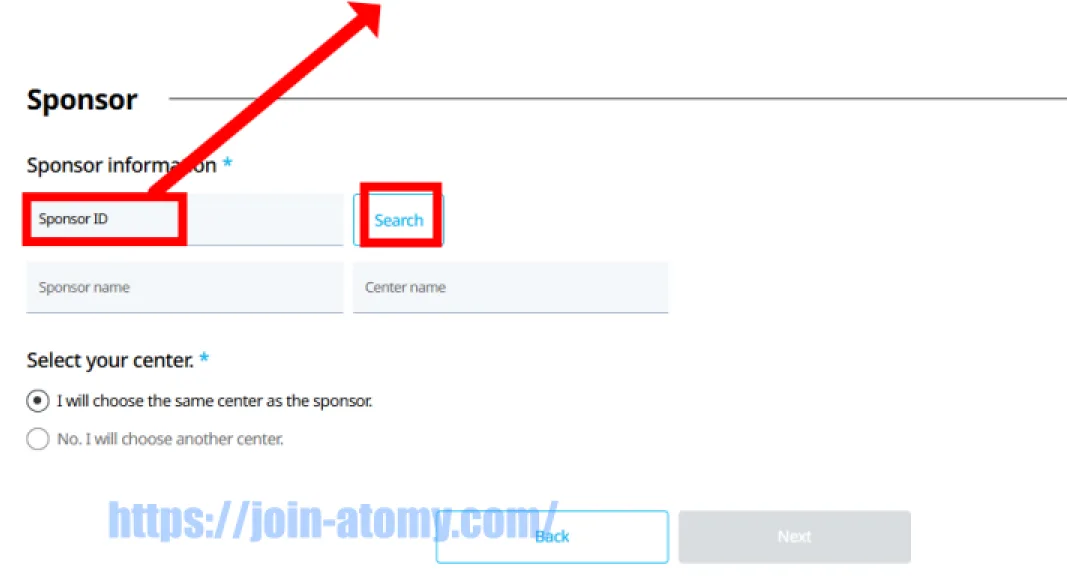
Choose your Sponsor ID to move forward.
You can enter your sponsor’s number manually in the blank field.
Or simply tap one of the IDs shown below.
| 47535844 | 47510381 |
| 47501016 | 47501019 |
| 47501403 | 47547468 |
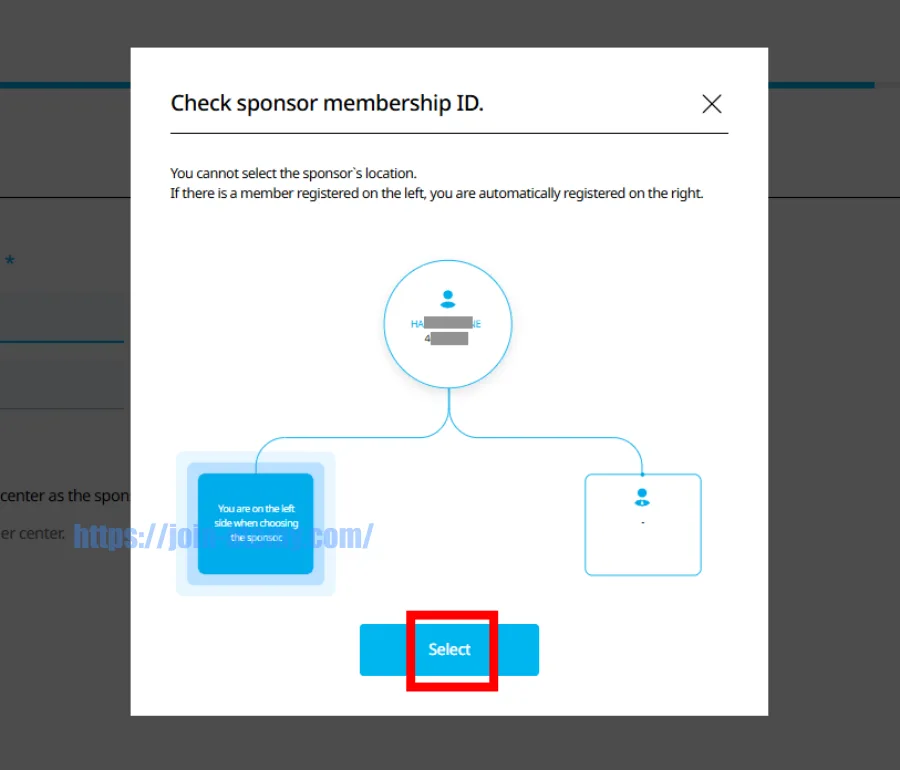
STEP 11
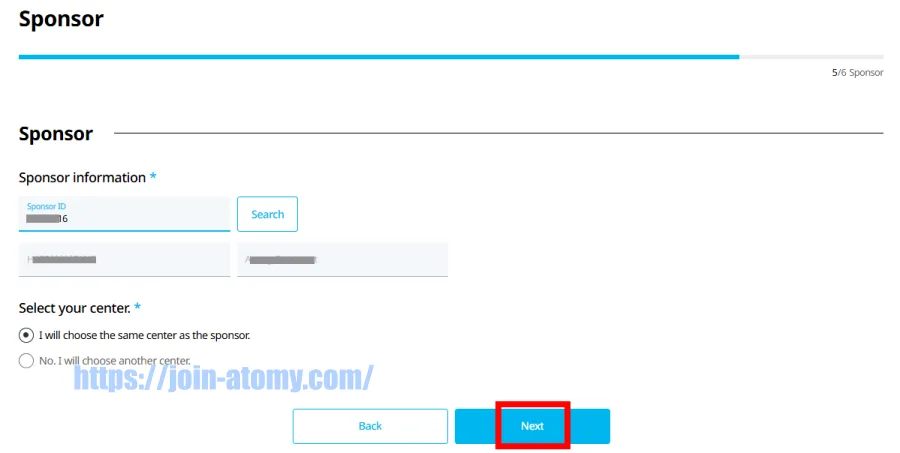
Please review the sponsor information and click Next.
Click Confirm Center Designation.
You can change the center after the official opening.

STEP 12
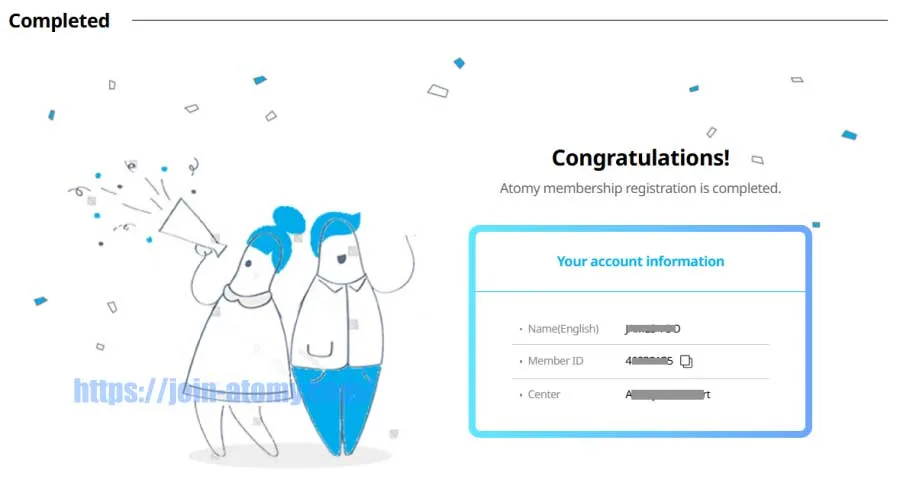
Your Atomy membership registration is complete.
Please remember your member ID and password.
How to view my My Lineage(Organization Map)
Quick Checklist Before You Place a New Member

STEP 2
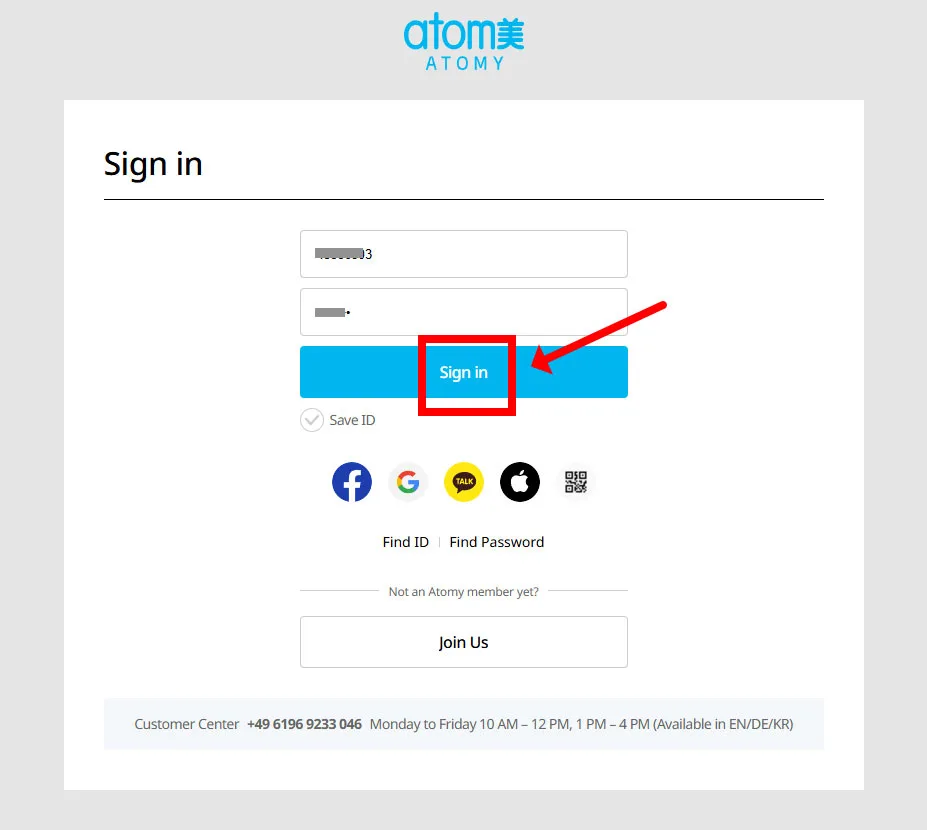
Enter your Atomy ID to sign in.
STEP 3
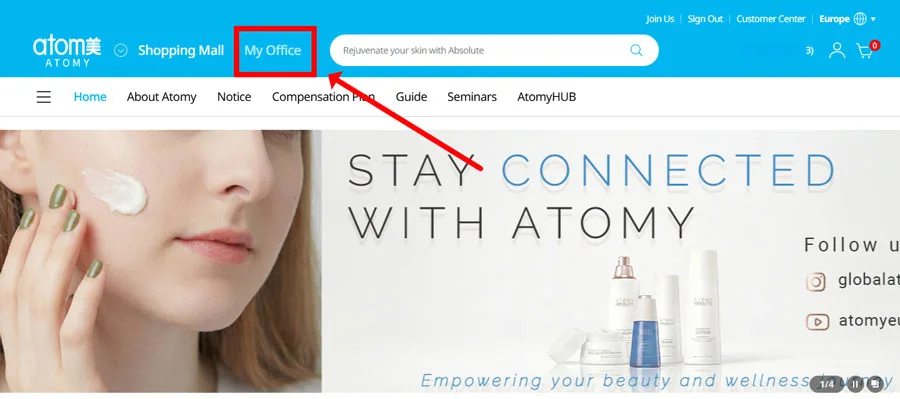
Tap “My Office” to see your account details and team structure (left/right).
STEP 4
Tap “Lineage” and confirm your spot—then decide your next placement.

STEP 5
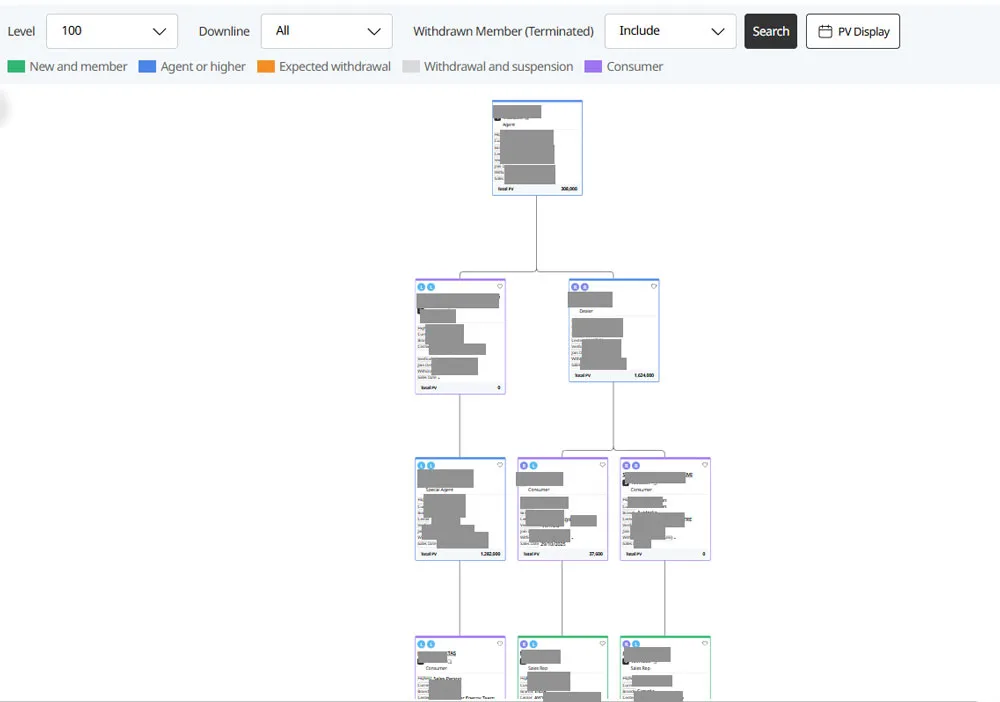
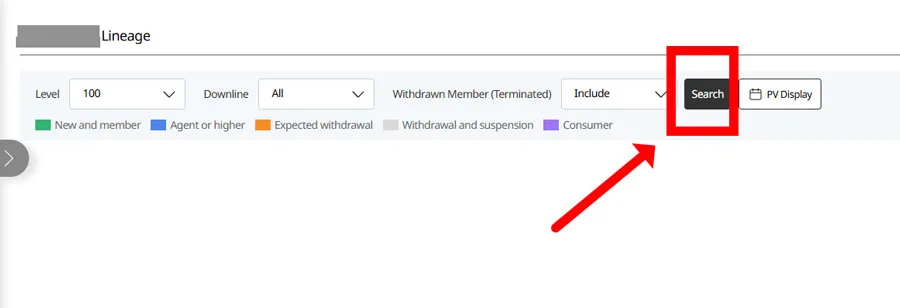
Tap “Search” to view your placement and line structure.
STEP 6
Your current node is shown at the top, with your left and right lines below.